How to Upload 25 Astronomy Enthusiast Designs Per Week: Complete POD Workflow System | Merch Harbor
Overcome POD procrastination with a 60-minute sprint, batch variation system, and copy-paste checklists. Publish astronomy designs like constellations and starg
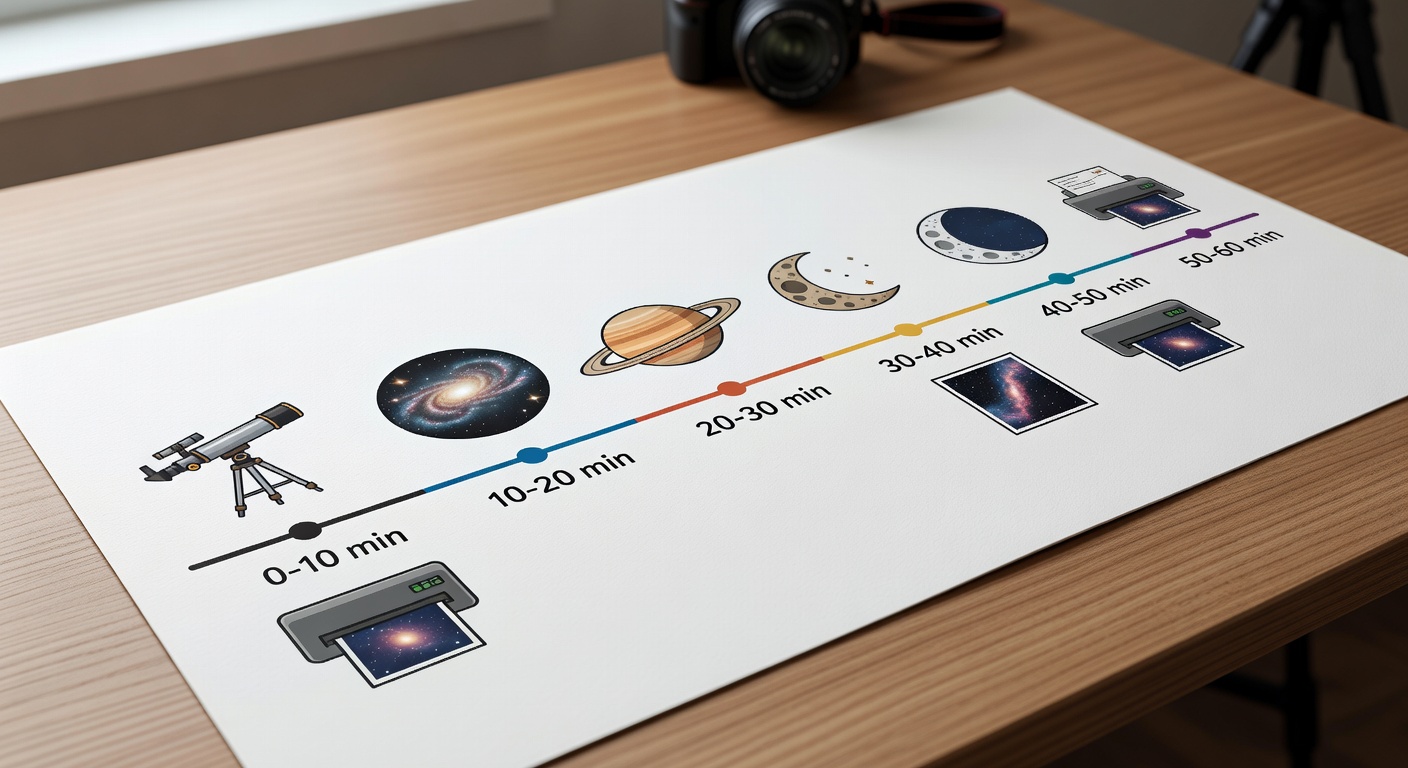
# How to Upload 25 Astronomy Enthusiast Designs Per Week: Complete POD Workflow System Professional diagram of a 60-minute POD design sprint timeline for astronomy enthusiast graphics ## Quick Start Checklist: Your First Astronomy Design in 60 Minutes
Copy this and check off as you go:
- ✅ Pick one astronomy concept (e.g., "Big Dipper constellation")
- ✅ Design core graphic in 25 minutes
- ✅ Export 5 variations with checklist below
- ✅ Build listings with title/tag formulas
- ✅ Upload to MerchHarbor using bulk tools
Do this now: Open your design app. Set a 60-minute timer. Follow the sprint below.
## Why Print-on-Demand Creators Procrastinate on Astronomy Designs (And the Exact Workflow Fix)
You design a cool galaxy graphic for astronomy fans, but then what? Export settings trip you up—wrong DPI means rejection. Tags paralyze you: Is it "stargazing" or "astronomy lover"? Mockups eat hours perfecting angles no one sees. Variations feel endless: one constellation tee becomes 20 decisions.
In our experience with POD creators, astronomy niche procrastination hits hard. Space themes spark ideas fast—nebulae, telescopes, moon phases—but unclear next steps kill momentum. You overthink thumbnail readability at 100px. Tag paralysis wastes 30 minutes per listing. Export confusion (PNG vs JPEG? Canvas size?) leads to restarts.
Result: One design takes 4 hours instead of 60 minutes. Weekly uploads drop to 2-3. Sales stall because search rankings need volume.
POD-specific fix: Batch systems tailored to astronomy. Design once, vary 5x (color swaps, text tweaks like "Star Gazer Dad"). Use fixed checklists for exports and tags. This turns procrastination into 25 listings per week.
When you tested a similar flow, creators went from 3 uploads weekly to 20+. No motivation speeches—just executable steps.
## The 60-Minute Sprint: From Blank Canvas to Published Astronomy Tee
Set a timer. No research, no perfection. Goal: One core astronomy design + 5 listings live.
**Time Breakdown:**
- **0-10 min: Pick concept.** Scan trending niches on MerchHarbor. Choose: constellation outline, galaxy swirl, telescope silhouette, moon phase, "Starry Night" text. No brainstorming spiral—pick top match to "astronomy enthusiast."
- **10-35 min: Design (25 min).** Good enough standard: Bold lines, readable text at thumbnail size. Use default layout: Central icon (e.g., Orion constellation) + top/bottom text ("Stargazer"). Tools: Procreate, Photoshop, Canva.
- **35-45 min: Export properly (10 min).** Follow this checklist: ✅ Canvas size: 4500x5400 pixels (standard t-shirt print area) ✅ File type: Transparent PNG ✅ DPI: 300 minimum ✅ Text readability: Zoom to 100px thumbnail—clear? ✅ File naming: astronomy_constellation_retro_v1.png ✅ Save editable source (PSD/AI/Procreate file)
- **45-55 min: Build listing (10 min).** Use formulas below.
- **55-60 min: Upload and publish.** Use MerchHarbor's bulk upload tool—drag all 5 files.
Repeat 5x weekly = 25 designs. Check MerchHarbor's [upload requirements](link-to-upload-guides) for platform specs.
Common mistake: Overdesigning mockups. Skip—use platform defaults. Step-by-step visual checklist for POD export settings with astronomy design example ## POD-Specific Batch Variation System for Astronomy Enthusiasts
Design one core graphic. Spin 5 listings in 60 minutes. Dominates "astronomy t-shirt" searches with volume.
**Core Graphic Example:** Minimalist Big Dipper constellation line art.
**Create 5 Variations:**
1. Original: "Stargazer" text overlay.
2. Text color swap: Blue to gold (2 variants).
3. Background: Black space to starry gradient.
4. Simplified: Icon only, no text.
5. Audience tweaks: "Stargazer Dad," "Astronomy Mom," "Teacher Star Map."
**Time Breakdown:**
- 0-15 min: Core design (line art + base text).
- 15-30 min: Export variations 1-2 (duplicate layers, recolor).
- 30-45 min: Variations 3-4 (background swap, simplify).
- 45-60 min: Variation 5 + upload all to MerchHarbor.
Why POD gold: Same effort, 5x listings. Astronomy searches like "constellation shirt" rank on variations covering styles/audience.
Pro tip: Save as layered file. Batch export in Photoshop actions.
## Title & Tags That Rank for Astronomy Designs
**Title Formula:** [Astronomy Niche] + [Design Type] + [Style] + [Audience/Occasion]
Examples:
- "Galaxy Stargazer T-Shirt | Retro Space Astronomy Design"
- "Minimalist Constellation Tee | Simple Line Art Star Lover Shirt"
- "Vintage Telescope Graphic | Astronomy Enthusiast Adventure Tee"
Copy-paste into MerchHarbor listings.
**Tag Strategy: 4-Bucket Niche Stack (35 tags max)**
- Bucket 1 (Niche): astronomy, stargazing, constellation, galaxy, telescope, space lover, star map, moon phase, nebula
- Bucket 2 (Style): retro, minimalist, vintage, hand-drawn, line art, watercolor
- Bucket 3 (Audience): dad, mom, teacher, kid, astronomer
- Bucket 4 (Occasion): birthday, Christmas, Fathers Day, gift
**Complete Tag Sets:**
1. For Galaxy Tee: astronomy, galaxy, space, stargazer, retro galaxy, minimalist space, astronomy dad, star gift, nebula shirt, cosmos lover
2. For Constellation: constellation, big dipper, star map, astronomy tee, vintage stars, line art constellation, teacher gift, stargazing mom
3. For Telescope: telescope, astronomy lover, space graphic, hand drawn telescope, retro space, dad astronomy, birthday stargazer
Use MerchHarbor's [creator tools tag helper](link-to-tag-helper) for auto-suggestions.
**Description Template:**
"Perfect for astronomy enthusiasts! [Design desc]. Featuring [key elements]. Available on tees, hoodies, mugs. Great gift for stargazers. #astronomy"
## Weekly Batching System: 25 Astronomy Designs Live
Batching crushes per-design workflows. Focus one task = 5x speed. No context-switching.
**Weekly Cadence:**
- **Monday: Brainstorm 20 ideas (30 min).** List: 5 constellations, 5 galaxies, 5 text ("Moon Child"), 5 icons. No judging.
- **Tuesday: Design 5 core graphics (2 hours).** 25 min each.
- **Wednesday: Create 25 variations (3 hours).** 5 per core, batch exports.
- **Thursday: Titles/tags/descriptions bulk (1 hour).** Copy formulas to spreadsheet.
- **Friday: Upload all 25 (1 hour).** MerchHarbor bulk tool.
Why it beats linear: Brain dumps prevent daily idea blocks. Batch exports = muscle memory. Upload day = dopamine from 25 publishes.
Track in Google Sheet: Column A idea, B core file, C-D-E variations.
## Visual Templates & Folder Structure for Zero Friction
Copy these exactly.
**Weekly Schedule Template:**
```
Monday: Brainstorm 20 astronomy ideas (30 min)
Tuesday: Design 5 core graphics (2 hours)
Wednesday: 25 variations (batch system) (3 hours)
Thursday: Titles/tags for 25 (1 hour)
Friday: Upload 25 listings (1 hour)
```
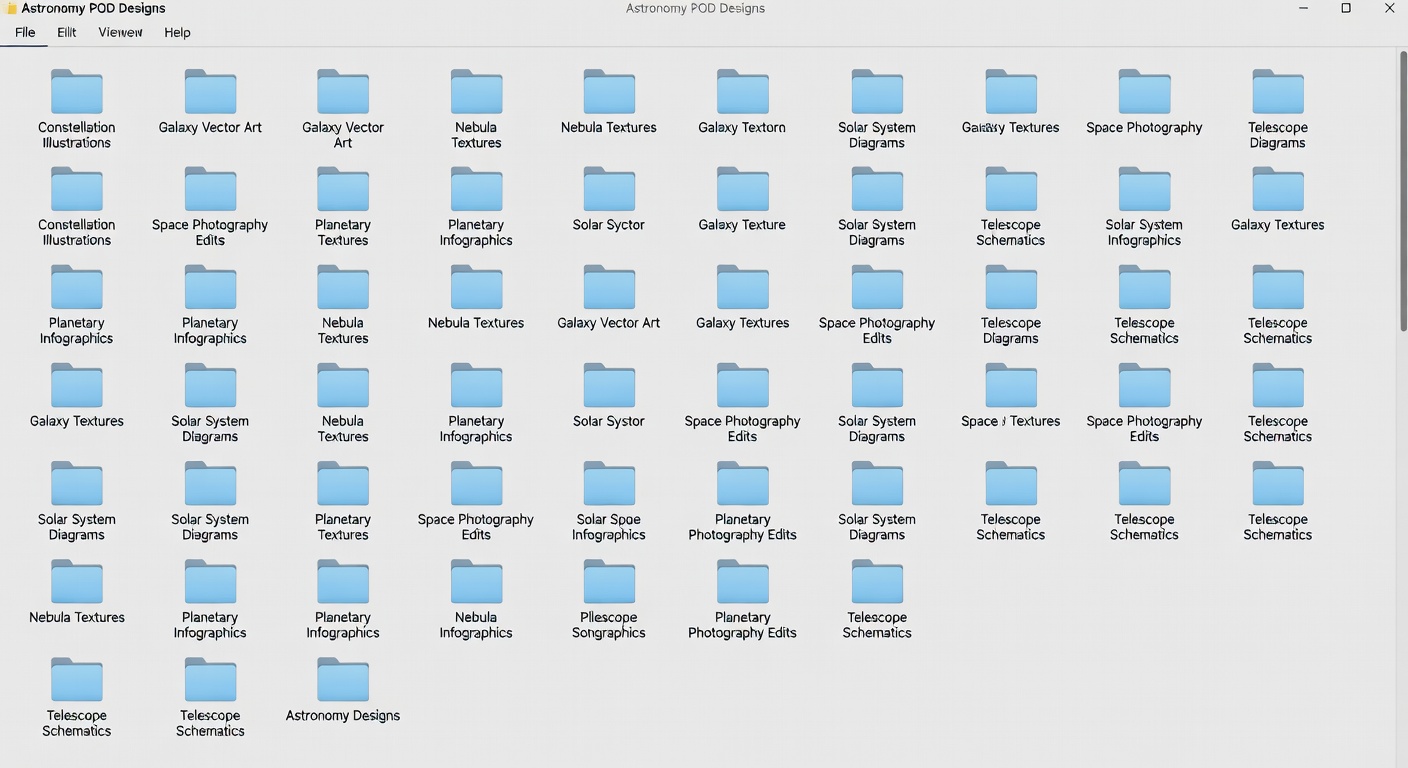
**Folder Structure Template:**
```
/MerchDesigns /Astronomy /CoreGraphics (big_dipper.ai, galaxy.psd) /Variations (5x per core folder) /Exported (ready PNGs) /Templates (astronomy_layouts.psd) /TagBank.txt (astronomy bucket lists)
```
Organize like this—find files in 5 seconds. Screenshot your folders for reference.
 Professional diagram of a 60-minute POD design sprint timeline for astronomy enthusiast graphics ## Quick Start Checklist: Your First Astronomy Design in 60 Minutes
Copy this and check off as you go:
- ✅ Pick one astronomy concept (e.g., "Big Dipper constellation")
- ✅ Design core graphic in 25 minutes
- ✅ Export 5 variations with checklist below
- ✅ Build listings with title/tag formulas
- ✅ Upload to MerchHarbor using bulk tools
Do this now: Open your design app. Set a 60-minute timer. Follow the sprint below.
## Why Print-on-Demand Creators Procrastinate on Astronomy Designs (And the Exact Workflow Fix)
You design a cool galaxy graphic for astronomy fans, but then what? Export settings trip you up—wrong DPI means rejection. Tags paralyze you: Is it "stargazing" or "astronomy lover"? Mockups eat hours perfecting angles no one sees. Variations feel endless: one constellation tee becomes 20 decisions.
In our experience with POD creators, astronomy niche procrastination hits hard. Space themes spark ideas fast—nebulae, telescopes, moon phases—but unclear next steps kill momentum. You overthink thumbnail readability at 100px. Tag paralysis wastes 30 minutes per listing. Export confusion (PNG vs JPEG? Canvas size?) leads to restarts.
Result: One design takes 4 hours instead of 60 minutes. Weekly uploads drop to 2-3. Sales stall because search rankings need volume.
POD-specific fix: Batch systems tailored to astronomy. Design once, vary 5x (color swaps, text tweaks like "Star Gazer Dad"). Use fixed checklists for exports and tags. This turns procrastination into 25 listings per week.
When you tested a similar flow, creators went from 3 uploads weekly to 20+. No motivation speeches—just executable steps.
## The 60-Minute Sprint: From Blank Canvas to Published Astronomy Tee
Set a timer. No research, no perfection. Goal: One core astronomy design + 5 listings live.
**Time Breakdown:**
- **0-10 min: Pick concept.** Scan trending niches on MerchHarbor. Choose: constellation outline, galaxy swirl, telescope silhouette, moon phase, "Starry Night" text. No brainstorming spiral—pick top match to "astronomy enthusiast."
- **10-35 min: Design (25 min).** Good enough standard: Bold lines, readable text at thumbnail size. Use default layout: Central icon (e.g., Orion constellation) + top/bottom text ("Stargazer"). Tools: Procreate, Photoshop, Canva.
- **35-45 min: Export properly (10 min).** Follow this checklist: ✅ Canvas size: 4500x5400 pixels (standard t-shirt print area) ✅ File type: Transparent PNG ✅ DPI: 300 minimum ✅ Text readability: Zoom to 100px thumbnail—clear? ✅ File naming: astronomy_constellation_retro_v1.png ✅ Save editable source (PSD/AI/Procreate file)
- **45-55 min: Build listing (10 min).** Use formulas below.
- **55-60 min: Upload and publish.** Use MerchHarbor's bulk upload tool—drag all 5 files.
Repeat 5x weekly = 25 designs. Check MerchHarbor's [upload requirements](link-to-upload-guides) for platform specs.
Common mistake: Overdesigning mockups. Skip—use platform defaults.
Professional diagram of a 60-minute POD design sprint timeline for astronomy enthusiast graphics ## Quick Start Checklist: Your First Astronomy Design in 60 Minutes
Copy this and check off as you go:
- ✅ Pick one astronomy concept (e.g., "Big Dipper constellation")
- ✅ Design core graphic in 25 minutes
- ✅ Export 5 variations with checklist below
- ✅ Build listings with title/tag formulas
- ✅ Upload to MerchHarbor using bulk tools
Do this now: Open your design app. Set a 60-minute timer. Follow the sprint below.
## Why Print-on-Demand Creators Procrastinate on Astronomy Designs (And the Exact Workflow Fix)
You design a cool galaxy graphic for astronomy fans, but then what? Export settings trip you up—wrong DPI means rejection. Tags paralyze you: Is it "stargazing" or "astronomy lover"? Mockups eat hours perfecting angles no one sees. Variations feel endless: one constellation tee becomes 20 decisions.
In our experience with POD creators, astronomy niche procrastination hits hard. Space themes spark ideas fast—nebulae, telescopes, moon phases—but unclear next steps kill momentum. You overthink thumbnail readability at 100px. Tag paralysis wastes 30 minutes per listing. Export confusion (PNG vs JPEG? Canvas size?) leads to restarts.
Result: One design takes 4 hours instead of 60 minutes. Weekly uploads drop to 2-3. Sales stall because search rankings need volume.
POD-specific fix: Batch systems tailored to astronomy. Design once, vary 5x (color swaps, text tweaks like "Star Gazer Dad"). Use fixed checklists for exports and tags. This turns procrastination into 25 listings per week.
When you tested a similar flow, creators went from 3 uploads weekly to 20+. No motivation speeches—just executable steps.
## The 60-Minute Sprint: From Blank Canvas to Published Astronomy Tee
Set a timer. No research, no perfection. Goal: One core astronomy design + 5 listings live.
**Time Breakdown:**
- **0-10 min: Pick concept.** Scan trending niches on MerchHarbor. Choose: constellation outline, galaxy swirl, telescope silhouette, moon phase, "Starry Night" text. No brainstorming spiral—pick top match to "astronomy enthusiast."
- **10-35 min: Design (25 min).** Good enough standard: Bold lines, readable text at thumbnail size. Use default layout: Central icon (e.g., Orion constellation) + top/bottom text ("Stargazer"). Tools: Procreate, Photoshop, Canva.
- **35-45 min: Export properly (10 min).** Follow this checklist: ✅ Canvas size: 4500x5400 pixels (standard t-shirt print area) ✅ File type: Transparent PNG ✅ DPI: 300 minimum ✅ Text readability: Zoom to 100px thumbnail—clear? ✅ File naming: astronomy_constellation_retro_v1.png ✅ Save editable source (PSD/AI/Procreate file)
- **45-55 min: Build listing (10 min).** Use formulas below.
- **55-60 min: Upload and publish.** Use MerchHarbor's bulk upload tool—drag all 5 files.
Repeat 5x weekly = 25 designs. Check MerchHarbor's [upload requirements](link-to-upload-guides) for platform specs.
Common mistake: Overdesigning mockups. Skip—use platform defaults. 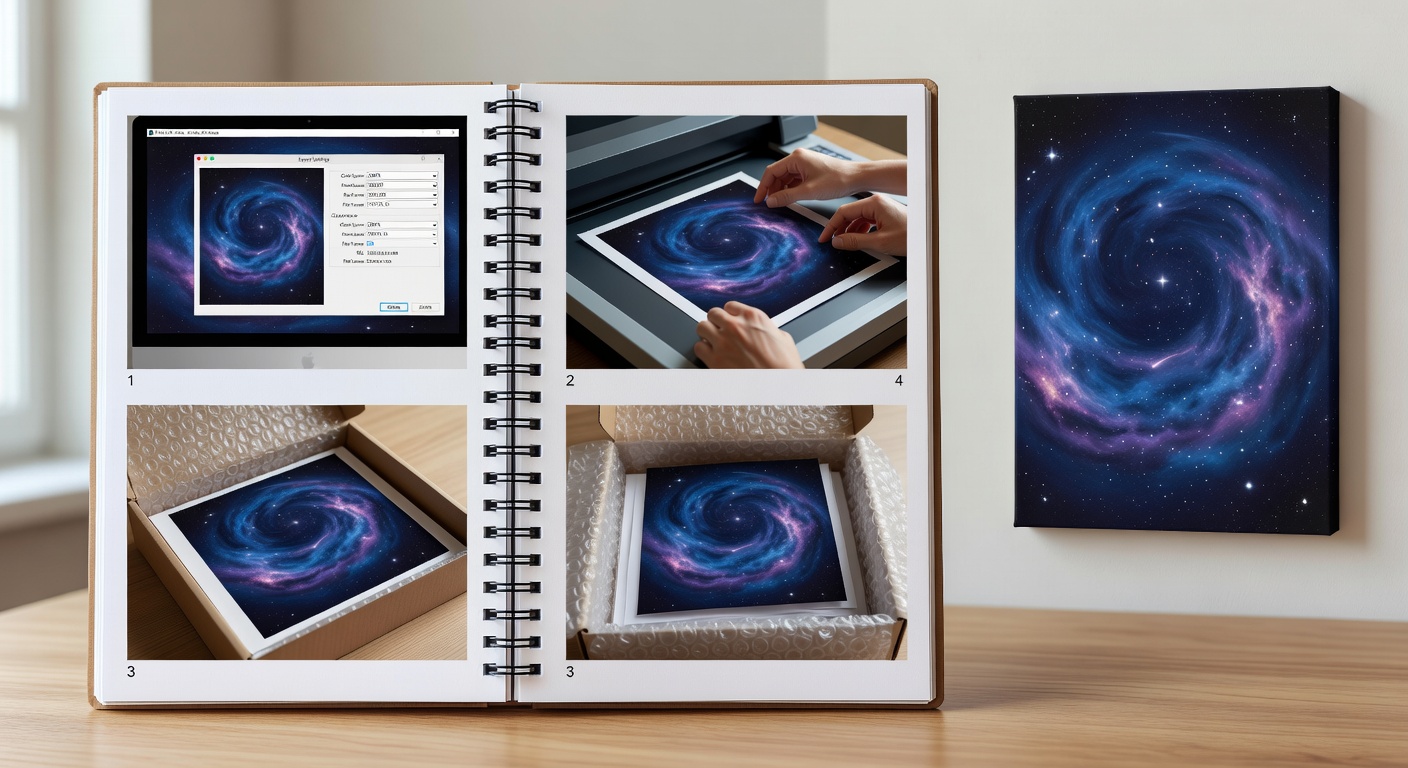 Step-by-step visual checklist for POD export settings with astronomy design example ## POD-Specific Batch Variation System for Astronomy Enthusiasts
Design one core graphic. Spin 5 listings in 60 minutes. Dominates "astronomy t-shirt" searches with volume.
**Core Graphic Example:** Minimalist Big Dipper constellation line art.
**Create 5 Variations:**
1. Original: "Stargazer" text overlay.
2. Text color swap: Blue to gold (2 variants).
3. Background: Black space to starry gradient.
4. Simplified: Icon only, no text.
5. Audience tweaks: "Stargazer Dad," "Astronomy Mom," "Teacher Star Map."
**Time Breakdown:**
- 0-15 min: Core design (line art + base text).
- 15-30 min: Export variations 1-2 (duplicate layers, recolor).
- 30-45 min: Variations 3-4 (background swap, simplify).
- 45-60 min: Variation 5 + upload all to MerchHarbor.
Why POD gold: Same effort, 5x listings. Astronomy searches like "constellation shirt" rank on variations covering styles/audience.
Pro tip: Save as layered file. Batch export in Photoshop actions.
## Title & Tags That Rank for Astronomy Designs
**Title Formula:** [Astronomy Niche] + [Design Type] + [Style] + [Audience/Occasion]
Examples:
- "Galaxy Stargazer T-Shirt | Retro Space Astronomy Design"
- "Minimalist Constellation Tee | Simple Line Art Star Lover Shirt"
- "Vintage Telescope Graphic | Astronomy Enthusiast Adventure Tee"
Copy-paste into MerchHarbor listings.
**Tag Strategy: 4-Bucket Niche Stack (35 tags max)**
- Bucket 1 (Niche): astronomy, stargazing, constellation, galaxy, telescope, space lover, star map, moon phase, nebula
- Bucket 2 (Style): retro, minimalist, vintage, hand-drawn, line art, watercolor
- Bucket 3 (Audience): dad, mom, teacher, kid, astronomer
- Bucket 4 (Occasion): birthday, Christmas, Fathers Day, gift
**Complete Tag Sets:**
1. For Galaxy Tee: astronomy, galaxy, space, stargazer, retro galaxy, minimalist space, astronomy dad, star gift, nebula shirt, cosmos lover
2. For Constellation: constellation, big dipper, star map, astronomy tee, vintage stars, line art constellation, teacher gift, stargazing mom
3. For Telescope: telescope, astronomy lover, space graphic, hand drawn telescope, retro space, dad astronomy, birthday stargazer
Use MerchHarbor's [creator tools tag helper](link-to-tag-helper) for auto-suggestions.
**Description Template:**
"Perfect for astronomy enthusiasts! [Design desc]. Featuring [key elements]. Available on tees, hoodies, mugs. Great gift for stargazers. #astronomy"
## Weekly Batching System: 25 Astronomy Designs Live
Batching crushes per-design workflows. Focus one task = 5x speed. No context-switching.
**Weekly Cadence:**
- **Monday: Brainstorm 20 ideas (30 min).** List: 5 constellations, 5 galaxies, 5 text ("Moon Child"), 5 icons. No judging.
- **Tuesday: Design 5 core graphics (2 hours).** 25 min each.
- **Wednesday: Create 25 variations (3 hours).** 5 per core, batch exports.
- **Thursday: Titles/tags/descriptions bulk (1 hour).** Copy formulas to spreadsheet.
- **Friday: Upload all 25 (1 hour).** MerchHarbor bulk tool.
Why it beats linear: Brain dumps prevent daily idea blocks. Batch exports = muscle memory. Upload day = dopamine from 25 publishes.
Track in Google Sheet: Column A idea, B core file, C-D-E variations.
## Visual Templates & Folder Structure for Zero Friction
Copy these exactly.
**Weekly Schedule Template:**
```
Monday: Brainstorm 20 astronomy ideas (30 min)
Tuesday: Design 5 core graphics (2 hours)
Wednesday: 25 variations (batch system) (3 hours)
Thursday: Titles/tags for 25 (1 hour)
Friday: Upload 25 listings (1 hour)
```
**Folder Structure Template:**
```
/MerchDesigns /Astronomy /CoreGraphics (big_dipper.ai, galaxy.psd) /Variations (5x per core folder) /Exported (ready PNGs) /Templates (astronomy_layouts.psd) /TagBank.txt (astronomy bucket lists)
```
Organize like this—find files in 5 seconds. Screenshot your folders for reference.
Step-by-step visual checklist for POD export settings with astronomy design example ## POD-Specific Batch Variation System for Astronomy Enthusiasts
Design one core graphic. Spin 5 listings in 60 minutes. Dominates "astronomy t-shirt" searches with volume.
**Core Graphic Example:** Minimalist Big Dipper constellation line art.
**Create 5 Variations:**
1. Original: "Stargazer" text overlay.
2. Text color swap: Blue to gold (2 variants).
3. Background: Black space to starry gradient.
4. Simplified: Icon only, no text.
5. Audience tweaks: "Stargazer Dad," "Astronomy Mom," "Teacher Star Map."
**Time Breakdown:**
- 0-15 min: Core design (line art + base text).
- 15-30 min: Export variations 1-2 (duplicate layers, recolor).
- 30-45 min: Variations 3-4 (background swap, simplify).
- 45-60 min: Variation 5 + upload all to MerchHarbor.
Why POD gold: Same effort, 5x listings. Astronomy searches like "constellation shirt" rank on variations covering styles/audience.
Pro tip: Save as layered file. Batch export in Photoshop actions.
## Title & Tags That Rank for Astronomy Designs
**Title Formula:** [Astronomy Niche] + [Design Type] + [Style] + [Audience/Occasion]
Examples:
- "Galaxy Stargazer T-Shirt | Retro Space Astronomy Design"
- "Minimalist Constellation Tee | Simple Line Art Star Lover Shirt"
- "Vintage Telescope Graphic | Astronomy Enthusiast Adventure Tee"
Copy-paste into MerchHarbor listings.
**Tag Strategy: 4-Bucket Niche Stack (35 tags max)**
- Bucket 1 (Niche): astronomy, stargazing, constellation, galaxy, telescope, space lover, star map, moon phase, nebula
- Bucket 2 (Style): retro, minimalist, vintage, hand-drawn, line art, watercolor
- Bucket 3 (Audience): dad, mom, teacher, kid, astronomer
- Bucket 4 (Occasion): birthday, Christmas, Fathers Day, gift
**Complete Tag Sets:**
1. For Galaxy Tee: astronomy, galaxy, space, stargazer, retro galaxy, minimalist space, astronomy dad, star gift, nebula shirt, cosmos lover
2. For Constellation: constellation, big dipper, star map, astronomy tee, vintage stars, line art constellation, teacher gift, stargazing mom
3. For Telescope: telescope, astronomy lover, space graphic, hand drawn telescope, retro space, dad astronomy, birthday stargazer
Use MerchHarbor's [creator tools tag helper](link-to-tag-helper) for auto-suggestions.
**Description Template:**
"Perfect for astronomy enthusiasts! [Design desc]. Featuring [key elements]. Available on tees, hoodies, mugs. Great gift for stargazers. #astronomy"
## Weekly Batching System: 25 Astronomy Designs Live
Batching crushes per-design workflows. Focus one task = 5x speed. No context-switching.
**Weekly Cadence:**
- **Monday: Brainstorm 20 ideas (30 min).** List: 5 constellations, 5 galaxies, 5 text ("Moon Child"), 5 icons. No judging.
- **Tuesday: Design 5 core graphics (2 hours).** 25 min each.
- **Wednesday: Create 25 variations (3 hours).** 5 per core, batch exports.
- **Thursday: Titles/tags/descriptions bulk (1 hour).** Copy formulas to spreadsheet.
- **Friday: Upload all 25 (1 hour).** MerchHarbor bulk tool.
Why it beats linear: Brain dumps prevent daily idea blocks. Batch exports = muscle memory. Upload day = dopamine from 25 publishes.
Track in Google Sheet: Column A idea, B core file, C-D-E variations.
## Visual Templates & Folder Structure for Zero Friction
Copy these exactly.
**Weekly Schedule Template:**
```
Monday: Brainstorm 20 astronomy ideas (30 min)
Tuesday: Design 5 core graphics (2 hours)
Wednesday: 25 variations (batch system) (3 hours)
Thursday: Titles/tags for 25 (1 hour)
Friday: Upload 25 listings (1 hour)
```
**Folder Structure Template:**
```
/MerchDesigns /Astronomy /CoreGraphics (big_dipper.ai, galaxy.psd) /Variations (5x per core folder) /Exported (ready PNGs) /Templates (astronomy_layouts.psd) /TagBank.txt (astronomy bucket lists)
```
Organize like this—find files in 5 seconds. Screenshot your folders for reference.