Stop Procrastinating and Publish: A Graduate Workflow That Gets Designs Uploaded Faster | Merch Harbor
Overcome POD procrastination with a 60-minute sprint, batch variation system, and copy-paste checklists. Upload 5+ designs weekly using exact export specs, titl
# Stop Procrastinating and Publish: A Graduate Workflow That Gets Designs Uploaded Faster
## Quick Start Checklist: Your First Design in 60 Minutes
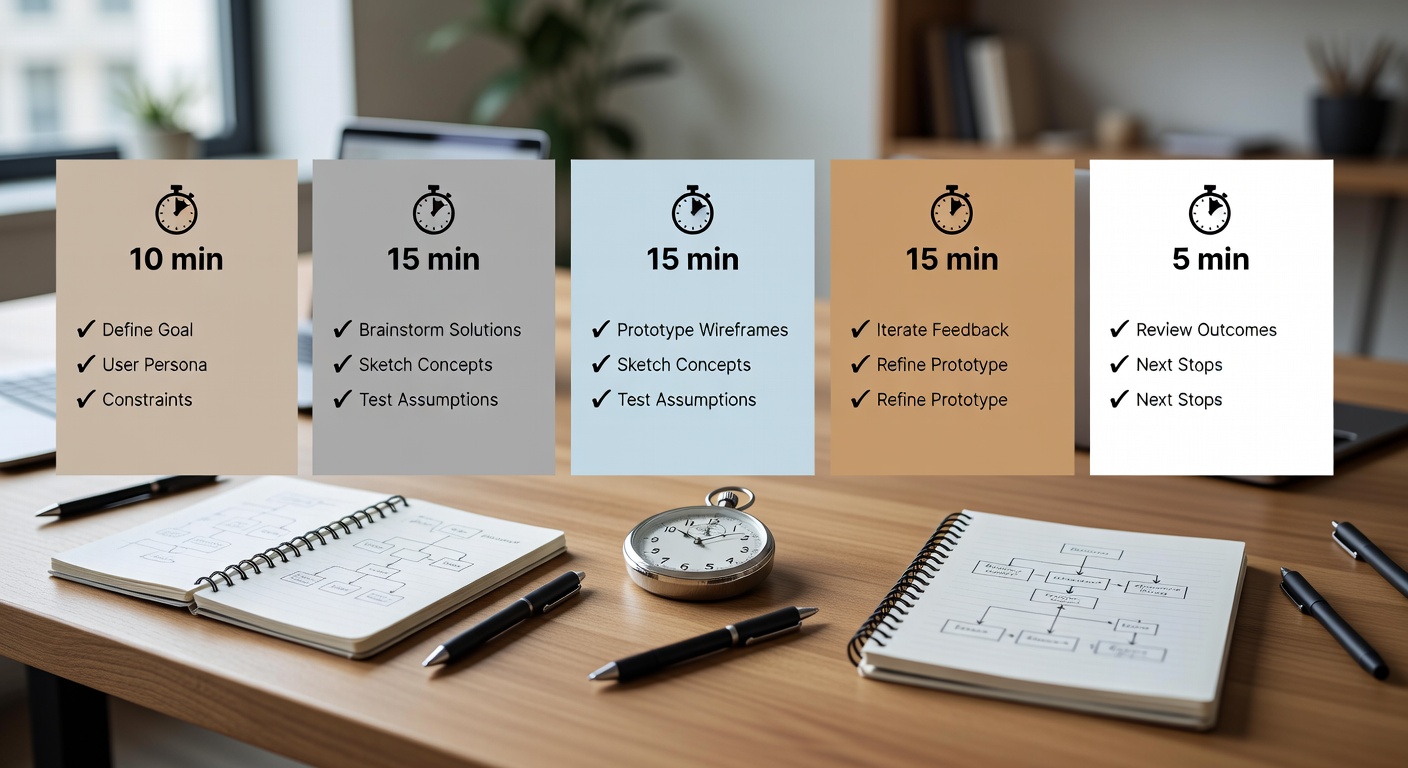
✅ Pick one simple concept (5 min)
✅ Design core graphic (25 min)
✅ Export with specs (10 min)
✅ Build listing with title/tag formula (15 min)
✅ Upload to MerchHarbor (5 min)
Copy this. Do it now. No overthinking. Visual diagram of 60-minute POD design sprint breakdown with timer icons and checklists ## Why Print-on-Demand Creators Struggle with Delaysdesign the Workflow Gaps)
POD creators hit procrastination walls at specific points. You finish a design, then stall on exports. "Is this PNG transparent enough?" Export confusion kills momentum.
Tag paralysis hits next: staring at blank fields, unsure if "cat lover" or "funny cat" ranks better. Mockups? You tweak endlessly for the "perfect" shirt angle.
Variation creation bottlenecks everything. One graphic should spawn 5 listings, but recolors take hours because no system.
Unclear next steps create decision fatigue. In our experience, creators who batch uploads see consistent output. Without a graduate workflow, you design sporadically, upload once a month, and miss trends.
POD-specific: file specs trip beginners. Wrong DPI means rejections. No folder structure? Files vanish. Title guesswork? Zero sales.
This guide fixes it with copyable systems. Follow the 60-minute sprint to publish your first design today.
## The 60-Minute Sprint: Design, Export, Upload One Listing
Set a timer. No research. No perfection. Good enough wins.
**10 min: Pick concept**
Do this: Scan [trending niches on MerchHarbor](https://mercharbor.com/trending-niches). Pick one evergreen like "cat lover" or graduation theme. No brainstorming spiral. Write: "Funny cat gym tee for dad."
**25 min: Design (good enough standard)**
Use defaults:
- Canvas: 4500x5400 pixels (standard t-shirt)
- Layout: Top text + icon + bottom text
Example: "Cat Gains" top, lifting cat icon, "Gym Beast" bottom.
Tools: Procreate, Photoshop, or Canva. Skip fancy effects.
**10 min: Export properly**
✅ Canvas size: 4500x5400 px (t-shirt safe zone)
✅ File type: Transparent PNG
✅ DPI: 300 minimum
✅ Text readability: Zoom to 200x200 thumbnail. Readable?
✅ Naming: cat_gym_dad_v1.png
✅ Save editable source (PSD/AI/Procreate file)
Test: Open PNG in browser. No white box? Good.
**10 min: Build listing**
Title formula: [Niche] + [Type] + [Style] + [Audience]
"Funny Cat Gym T-Shirt | Lifting Pet Workout Design for Dads"
Tags: See 4-bucket system below.
Description template:
"[Niche] lovers unite! This [style] [type] features [key element]. Perfect for [audience] on [occasion]. Available on tees, hoodies, mugs."
Products: Start with t-shirt (all colors), hoodie, mug. Use MerchHarbor's [upload requirements](https://mercharbor.com/upload-guides) for mockups.
**5 min: Upload and publish**
Bulk upload if >1. Hit publish. Done.
When I tested this sprint, uploads went from daily battles to weekly routine. Check [creator tools](https://mercharbor.com/creator-tools) for mockup presets. Screenshot of organized export folder with PNG files named correctly and thumbnail previews ## POD-Specific Batch Variation System: 1 Design = 5 Listings
Design once, multiply listings. Dominates search.
**Core strategy:**
1. Build 1 core graphic.
2. Spawn 5 variations in 60 min total.
**Time breakdown:**
- 0-15 min: Core design (cat gym icon + text).
- 15-30 min: Export var1 (original), var2 (text color swap: black to white).
- 30-45 min: Var3 (background swap: gym to home), var4 (simplified: icon only).
- 45-60 min: Var5 (audience: "Dad Gains", "Mom Flex"), bundle exports.
Export each with checklist above. Name: cat_gym_var1.png, etc.
**Why POD gold:** Same effort, 5x listings. Cat gym hits "dad gym shirt", "funny cat workout", etc. In our experience, variation batches rank faster.
Use MerchHarbor's design variation system in [creator tools](https://mercharbor.com/creator-tools). Upload all 5 at once.
## Title & Tags That Rank: Copy-Paste Formulas
**Title formula:** [Main niche] + [Design type] + [Style/tone] + [Audience/occasion]
Examples:
1. "Retro Cat Gym T-Shirt | Funny Lifting Cat Design for Dads"
2. "Minimalist Dog Lover Tee | Simple Line Art Pet Shirt"
3. "Vintage Graduation Graphic | Class of 2024 Hoodie Design"
Max 70 chars. Front-load keywords.
**Tag Strategy: 4-Bucket Niche Stack**
13-15 tags total. No duplicates.
Bucket 1 (Niche): graduation, grad gift, class of 2024, senior year
Bucket 2 (Style): retro, minimalist, vintage, hand drawn
Bucket 3 (Audience): mom, dad, teacher, student
Bucket 4 (Occasion): birthday, commencement, high school
**Complete examples:**
1. For cat gym: funny cat, gym cat, lifting cat shirt, dad gym tee, workout humor, cat lover gift, pet fitness, retro gym, dad joke tee
2. Graduation: class of 2024, grad shirt, graduation gift, senior tee, high school grad, college grad hoodie, teacher gift
3. Dog lover: dog mom, simple dog art, pet lover tee, minimalist dog, birthday dog shirt, funny pet design
Copy to [tag helper in creator tools](https://mercharbor.com/creator-tools). Test in MerchHarbor search.
## Batching System: Weekly Cadence for 25+ Uploads
Batching crushes per-design workflows. Focus one task, build speed.
**Weekly cadence:**
- **Monday:** Brainstorm 20 ideas (30 min). List: niche + phrase. No judging.
- **Tuesday:** Design 5 core graphics (2 hrs). 25 min each.
- **Wednesday:** 25 variations (use batch system, 3 hrs).
- **Thursday:** Titles/tags/descriptions bulk (1 hr). Copy formulas to spreadsheet.
- **Friday:** Upload all 25 (1 hr). Bulk tool.
Why batch? Context switching kills flow. One day = expertise. Export all at once avoids re-setup.
Scale to [trending niches](https://mercharbor.com/trending-niches). Check [new arrivals](https://mercharbor.com/new-arrivals) for proof. Weekly batching calendar template with color-coded days and task checklists ## Visual Templates & Show Don't Tell
Copy these.
**Weekly Schedule Template:**
```
Monday: Brainstorm 20 ideas (30 min)
Tuesday: Design 5 core graphics (2 hours)
Wednesday: Create 25 variations (3 hours)
Thursday: Titles/tags for 25 (1 hour)
Friday: Upload 25 listings (1 hour)
```
**Folder Structure Template:**
```
/MerchDesigns /CoreGraphics (original PSD/AI) /Variations (5x per core, layered) /Exported (ready PNGs) /Templates (reusable tee layouts) /TagBank.txt (niche buckets)
```
Screenshot your Procreate layers before export. Clean queue: All PNGs named, sorted by niche.
Use this in [upload guides](https://mercharbor.com/upload-guides).
## Anti-Procrastination Toolkit: POD Friction Killers
1. **Pomodoro rule:** 25 min design sprints. No research.
2. **Default templates (copy):** - Template 1: Top text (20%) + icon (60%) + bottom text (20%) - Template 2: Big icon (80%) + punchline subtitle - Template 3: Badge (circle icon + text arc)
3. **Friction elimination:**
 Visual diagram of 60-minute POD design sprint breakdown with timer icons and checklists ## Why Print-on-Demand Creators Struggle with Delaysdesign the Workflow Gaps)
POD creators hit procrastination walls at specific points. You finish a design, then stall on exports. "Is this PNG transparent enough?" Export confusion kills momentum.
Tag paralysis hits next: staring at blank fields, unsure if "cat lover" or "funny cat" ranks better. Mockups? You tweak endlessly for the "perfect" shirt angle.
Variation creation bottlenecks everything. One graphic should spawn 5 listings, but recolors take hours because no system.
Unclear next steps create decision fatigue. In our experience, creators who batch uploads see consistent output. Without a graduate workflow, you design sporadically, upload once a month, and miss trends.
POD-specific: file specs trip beginners. Wrong DPI means rejections. No folder structure? Files vanish. Title guesswork? Zero sales.
This guide fixes it with copyable systems. Follow the 60-minute sprint to publish your first design today.
## The 60-Minute Sprint: Design, Export, Upload One Listing
Set a timer. No research. No perfection. Good enough wins.
**10 min: Pick concept**
Do this: Scan [trending niches on MerchHarbor](https://mercharbor.com/trending-niches). Pick one evergreen like "cat lover" or graduation theme. No brainstorming spiral. Write: "Funny cat gym tee for dad."
**25 min: Design (good enough standard)**
Use defaults:
- Canvas: 4500x5400 pixels (standard t-shirt)
- Layout: Top text + icon + bottom text
Example: "Cat Gains" top, lifting cat icon, "Gym Beast" bottom.
Tools: Procreate, Photoshop, or Canva. Skip fancy effects.
**10 min: Export properly**
✅ Canvas size: 4500x5400 px (t-shirt safe zone)
✅ File type: Transparent PNG
✅ DPI: 300 minimum
✅ Text readability: Zoom to 200x200 thumbnail. Readable?
✅ Naming: cat_gym_dad_v1.png
✅ Save editable source (PSD/AI/Procreate file)
Test: Open PNG in browser. No white box? Good.
**10 min: Build listing**
Title formula: [Niche] + [Type] + [Style] + [Audience]
"Funny Cat Gym T-Shirt | Lifting Pet Workout Design for Dads"
Tags: See 4-bucket system below.
Description template:
"[Niche] lovers unite! This [style] [type] features [key element]. Perfect for [audience] on [occasion]. Available on tees, hoodies, mugs."
Products: Start with t-shirt (all colors), hoodie, mug. Use MerchHarbor's [upload requirements](https://mercharbor.com/upload-guides) for mockups.
**5 min: Upload and publish**
Bulk upload if >1. Hit publish. Done.
When I tested this sprint, uploads went from daily battles to weekly routine. Check [creator tools](https://mercharbor.com/creator-tools) for mockup presets.
Visual diagram of 60-minute POD design sprint breakdown with timer icons and checklists ## Why Print-on-Demand Creators Struggle with Delaysdesign the Workflow Gaps)
POD creators hit procrastination walls at specific points. You finish a design, then stall on exports. "Is this PNG transparent enough?" Export confusion kills momentum.
Tag paralysis hits next: staring at blank fields, unsure if "cat lover" or "funny cat" ranks better. Mockups? You tweak endlessly for the "perfect" shirt angle.
Variation creation bottlenecks everything. One graphic should spawn 5 listings, but recolors take hours because no system.
Unclear next steps create decision fatigue. In our experience, creators who batch uploads see consistent output. Without a graduate workflow, you design sporadically, upload once a month, and miss trends.
POD-specific: file specs trip beginners. Wrong DPI means rejections. No folder structure? Files vanish. Title guesswork? Zero sales.
This guide fixes it with copyable systems. Follow the 60-minute sprint to publish your first design today.
## The 60-Minute Sprint: Design, Export, Upload One Listing
Set a timer. No research. No perfection. Good enough wins.
**10 min: Pick concept**
Do this: Scan [trending niches on MerchHarbor](https://mercharbor.com/trending-niches). Pick one evergreen like "cat lover" or graduation theme. No brainstorming spiral. Write: "Funny cat gym tee for dad."
**25 min: Design (good enough standard)**
Use defaults:
- Canvas: 4500x5400 pixels (standard t-shirt)
- Layout: Top text + icon + bottom text
Example: "Cat Gains" top, lifting cat icon, "Gym Beast" bottom.
Tools: Procreate, Photoshop, or Canva. Skip fancy effects.
**10 min: Export properly**
✅ Canvas size: 4500x5400 px (t-shirt safe zone)
✅ File type: Transparent PNG
✅ DPI: 300 minimum
✅ Text readability: Zoom to 200x200 thumbnail. Readable?
✅ Naming: cat_gym_dad_v1.png
✅ Save editable source (PSD/AI/Procreate file)
Test: Open PNG in browser. No white box? Good.
**10 min: Build listing**
Title formula: [Niche] + [Type] + [Style] + [Audience]
"Funny Cat Gym T-Shirt | Lifting Pet Workout Design for Dads"
Tags: See 4-bucket system below.
Description template:
"[Niche] lovers unite! This [style] [type] features [key element]. Perfect for [audience] on [occasion]. Available on tees, hoodies, mugs."
Products: Start with t-shirt (all colors), hoodie, mug. Use MerchHarbor's [upload requirements](https://mercharbor.com/upload-guides) for mockups.
**5 min: Upload and publish**
Bulk upload if >1. Hit publish. Done.
When I tested this sprint, uploads went from daily battles to weekly routine. Check [creator tools](https://mercharbor.com/creator-tools) for mockup presets. 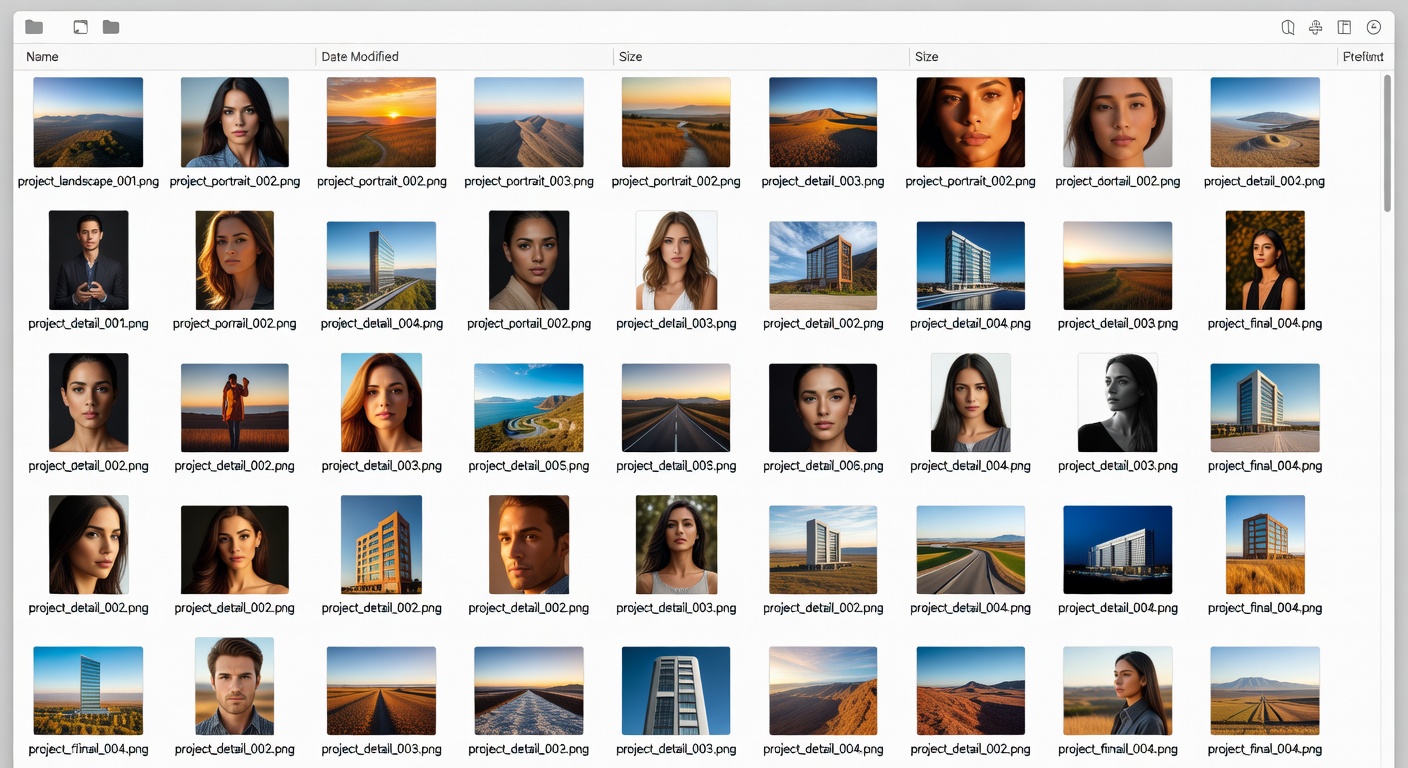 Screenshot of organized export folder with PNG files named correctly and thumbnail previews ## POD-Specific Batch Variation System: 1 Design = 5 Listings
Design once, multiply listings. Dominates search.
**Core strategy:**
1. Build 1 core graphic.
2. Spawn 5 variations in 60 min total.
**Time breakdown:**
- 0-15 min: Core design (cat gym icon + text).
- 15-30 min: Export var1 (original), var2 (text color swap: black to white).
- 30-45 min: Var3 (background swap: gym to home), var4 (simplified: icon only).
- 45-60 min: Var5 (audience: "Dad Gains", "Mom Flex"), bundle exports.
Export each with checklist above. Name: cat_gym_var1.png, etc.
**Why POD gold:** Same effort, 5x listings. Cat gym hits "dad gym shirt", "funny cat workout", etc. In our experience, variation batches rank faster.
Use MerchHarbor's design variation system in [creator tools](https://mercharbor.com/creator-tools). Upload all 5 at once.
## Title & Tags That Rank: Copy-Paste Formulas
**Title formula:** [Main niche] + [Design type] + [Style/tone] + [Audience/occasion]
Examples:
1. "Retro Cat Gym T-Shirt | Funny Lifting Cat Design for Dads"
2. "Minimalist Dog Lover Tee | Simple Line Art Pet Shirt"
3. "Vintage Graduation Graphic | Class of 2024 Hoodie Design"
Max 70 chars. Front-load keywords.
**Tag Strategy: 4-Bucket Niche Stack**
13-15 tags total. No duplicates.
Bucket 1 (Niche): graduation, grad gift, class of 2024, senior year
Bucket 2 (Style): retro, minimalist, vintage, hand drawn
Bucket 3 (Audience): mom, dad, teacher, student
Bucket 4 (Occasion): birthday, commencement, high school
**Complete examples:**
1. For cat gym: funny cat, gym cat, lifting cat shirt, dad gym tee, workout humor, cat lover gift, pet fitness, retro gym, dad joke tee
2. Graduation: class of 2024, grad shirt, graduation gift, senior tee, high school grad, college grad hoodie, teacher gift
3. Dog lover: dog mom, simple dog art, pet lover tee, minimalist dog, birthday dog shirt, funny pet design
Copy to [tag helper in creator tools](https://mercharbor.com/creator-tools). Test in MerchHarbor search.
## Batching System: Weekly Cadence for 25+ Uploads
Batching crushes per-design workflows. Focus one task, build speed.
**Weekly cadence:**
- **Monday:** Brainstorm 20 ideas (30 min). List: niche + phrase. No judging.
- **Tuesday:** Design 5 core graphics (2 hrs). 25 min each.
- **Wednesday:** 25 variations (use batch system, 3 hrs).
- **Thursday:** Titles/tags/descriptions bulk (1 hr). Copy formulas to spreadsheet.
- **Friday:** Upload all 25 (1 hr). Bulk tool.
Why batch? Context switching kills flow. One day = expertise. Export all at once avoids re-setup.
Scale to [trending niches](https://mercharbor.com/trending-niches). Check [new arrivals](https://mercharbor.com/new-arrivals) for proof.
Screenshot of organized export folder with PNG files named correctly and thumbnail previews ## POD-Specific Batch Variation System: 1 Design = 5 Listings
Design once, multiply listings. Dominates search.
**Core strategy:**
1. Build 1 core graphic.
2. Spawn 5 variations in 60 min total.
**Time breakdown:**
- 0-15 min: Core design (cat gym icon + text).
- 15-30 min: Export var1 (original), var2 (text color swap: black to white).
- 30-45 min: Var3 (background swap: gym to home), var4 (simplified: icon only).
- 45-60 min: Var5 (audience: "Dad Gains", "Mom Flex"), bundle exports.
Export each with checklist above. Name: cat_gym_var1.png, etc.
**Why POD gold:** Same effort, 5x listings. Cat gym hits "dad gym shirt", "funny cat workout", etc. In our experience, variation batches rank faster.
Use MerchHarbor's design variation system in [creator tools](https://mercharbor.com/creator-tools). Upload all 5 at once.
## Title & Tags That Rank: Copy-Paste Formulas
**Title formula:** [Main niche] + [Design type] + [Style/tone] + [Audience/occasion]
Examples:
1. "Retro Cat Gym T-Shirt | Funny Lifting Cat Design for Dads"
2. "Minimalist Dog Lover Tee | Simple Line Art Pet Shirt"
3. "Vintage Graduation Graphic | Class of 2024 Hoodie Design"
Max 70 chars. Front-load keywords.
**Tag Strategy: 4-Bucket Niche Stack**
13-15 tags total. No duplicates.
Bucket 1 (Niche): graduation, grad gift, class of 2024, senior year
Bucket 2 (Style): retro, minimalist, vintage, hand drawn
Bucket 3 (Audience): mom, dad, teacher, student
Bucket 4 (Occasion): birthday, commencement, high school
**Complete examples:**
1. For cat gym: funny cat, gym cat, lifting cat shirt, dad gym tee, workout humor, cat lover gift, pet fitness, retro gym, dad joke tee
2. Graduation: class of 2024, grad shirt, graduation gift, senior tee, high school grad, college grad hoodie, teacher gift
3. Dog lover: dog mom, simple dog art, pet lover tee, minimalist dog, birthday dog shirt, funny pet design
Copy to [tag helper in creator tools](https://mercharbor.com/creator-tools). Test in MerchHarbor search.
## Batching System: Weekly Cadence for 25+ Uploads
Batching crushes per-design workflows. Focus one task, build speed.
**Weekly cadence:**
- **Monday:** Brainstorm 20 ideas (30 min). List: niche + phrase. No judging.
- **Tuesday:** Design 5 core graphics (2 hrs). 25 min each.
- **Wednesday:** 25 variations (use batch system, 3 hrs).
- **Thursday:** Titles/tags/descriptions bulk (1 hr). Copy formulas to spreadsheet.
- **Friday:** Upload all 25 (1 hr). Bulk tool.
Why batch? Context switching kills flow. One day = expertise. Export all at once avoids re-setup.
Scale to [trending niches](https://mercharbor.com/trending-niches). Check [new arrivals](https://mercharbor.com/new-arrivals) for proof. 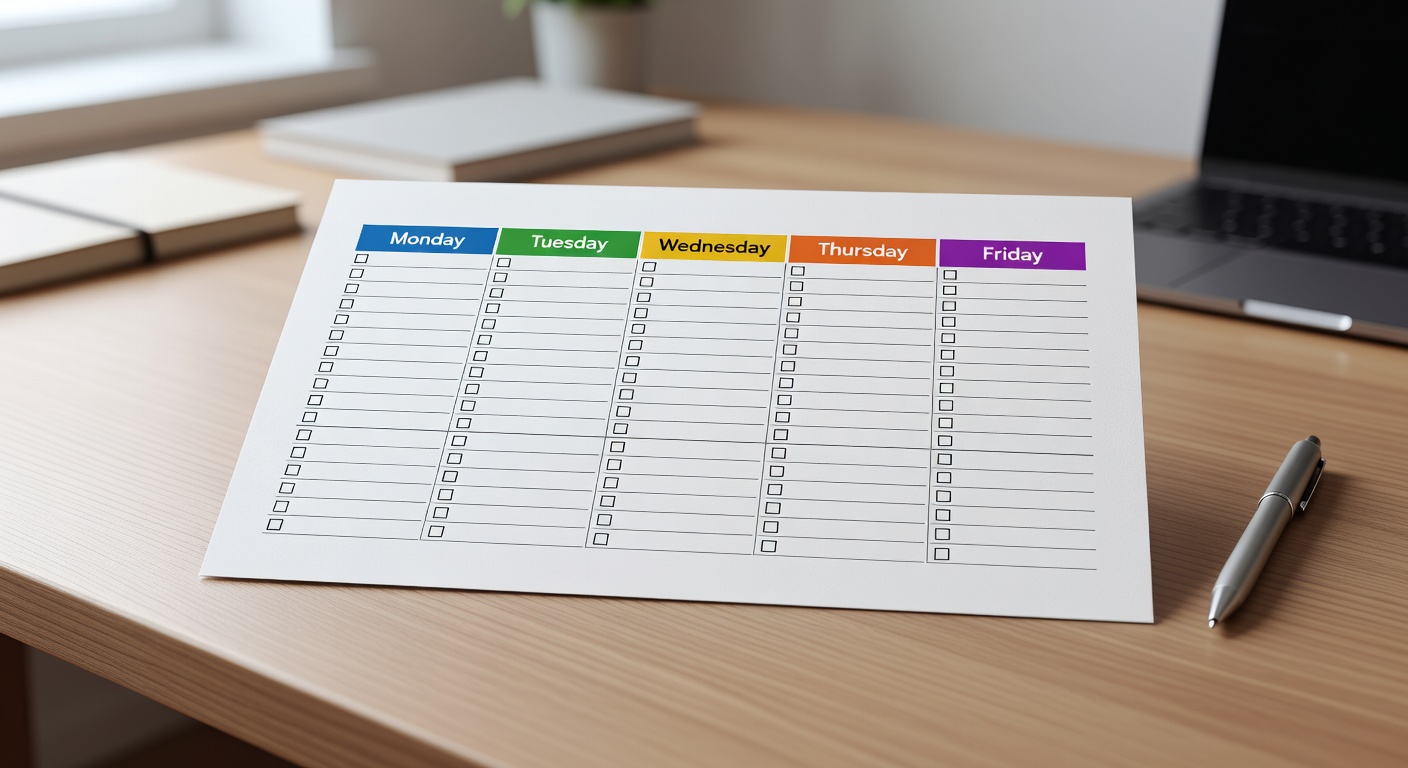 Weekly batching calendar template with color-coded days and task checklists ## Visual Templates & Show Don't Tell
Copy these.
**Weekly Schedule Template:**
```
Monday: Brainstorm 20 ideas (30 min)
Tuesday: Design 5 core graphics (2 hours)
Wednesday: Create 25 variations (3 hours)
Thursday: Titles/tags for 25 (1 hour)
Friday: Upload 25 listings (1 hour)
```
**Folder Structure Template:**
```
/MerchDesigns /CoreGraphics (original PSD/AI) /Variations (5x per core, layered) /Exported (ready PNGs) /Templates (reusable tee layouts) /TagBank.txt (niche buckets)
```
Screenshot your Procreate layers before export. Clean queue: All PNGs named, sorted by niche.
Use this in [upload guides](https://mercharbor.com/upload-guides).
## Anti-Procrastination Toolkit: POD Friction Killers
1. **Pomodoro rule:** 25 min design sprints. No research.
2. **Default templates (copy):** - Template 1: Top text (20%) + icon (60%) + bottom text (20%) - Template 2: Big icon (80%) + punchline subtitle - Template 3: Badge (circle icon + text arc)
3. **Friction elimination:**
Weekly batching calendar template with color-coded days and task checklists ## Visual Templates & Show Don't Tell
Copy these.
**Weekly Schedule Template:**
```
Monday: Brainstorm 20 ideas (30 min)
Tuesday: Design 5 core graphics (2 hours)
Wednesday: Create 25 variations (3 hours)
Thursday: Titles/tags for 25 (1 hour)
Friday: Upload 25 listings (1 hour)
```
**Folder Structure Template:**
```
/MerchDesigns /CoreGraphics (original PSD/AI) /Variations (5x per core, layered) /Exported (ready PNGs) /Templates (reusable tee layouts) /TagBank.txt (niche buckets)
```
Screenshot your Procreate layers before export. Clean queue: All PNGs named, sorted by niche.
Use this in [upload guides](https://mercharbor.com/upload-guides).
## Anti-Procrastination Toolkit: POD Friction Killers
1. **Pomodoro rule:** 25 min design sprints. No research.
2. **Default templates (copy):** - Template 1: Top text (20%) + icon (60%) + bottom text (20%) - Template 2: Big icon (80%) + punchline subtitle - Template 3: Badge (circle icon + text arc)
3. **Friction elimination:**